Customize Pre-built Tools
The Customize button converts a pre-built tool into a fully editable custom tool, allowing administrators to tailor the tool's behavior without modifying the original implementation.
When a custom tool is created with the same name as a pre-built tool, it automatically overrides the pre-built tool. The AI host will use the custom implementation, eliminating duplicate tools while allowing administrators to customize the tool's behavior.
After customization, administrators can configure every aspect of the tool, including:
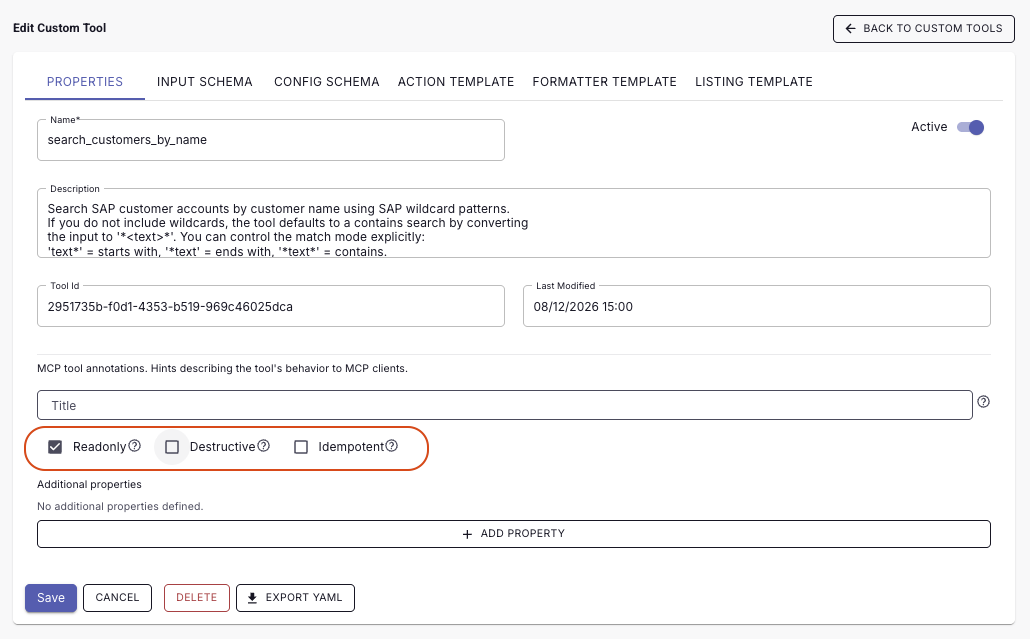
- Properties – Update the tool name, description, and AI behavior annotations. Configure whether the tool is Read-only, Destructive, or Idempotent to help AI hosts understand how the tool should be executed.
- Input Schema – Modify the request parameters presented to the AI and define which inputs are required.
- Config Schema – Add configurable settings that can be reused across action and formatter templates without changing the tool logic.
- Action Template – Customize how the tool constructs requests to the underlying API, including endpoints, headers, query parameters, and payload mappings.
- Formatter Template – Control how API responses are transformed into AI-friendly output before being returned to the AI host.
- Listing Template – Define how collections of results are formatted and presented when the tool returns multiple records.
Custom tools enable organizations to adapt standard integrations to their specific SAP environment, API requirements, and AI experiences while preserving compatibility with supported AI hosts.

Tool annotations such as Read-only and Destructive are published as MCP metadata. AI hosts can use these annotations to distinguish between information retrieval tools and tools that modify business data, allowing them to apply appropriate governance, approval, or execution policies.