Interacting with AI Agent Overview
This section explains how a user interacts with the AI Agent using enosix MCP tools to perform real-time SAP transactions. The agent interprets user requests, invokes the appropriate MCP tool, validates required business rules, and returns structured results.
All data used in this scenario is test data for demonstration purposes only. The more details provided to the Agent, the better the performance.
User Inquiry
The customer Ohana requests to increase the quantity for sales order that was created Mar 2, 2026 for material BLAZE and item number 10. If more than one customer found ask me to specify. Find that order. If more that one order found ask me to specify. Verify that no delivery has been created for the order and show current order quantity. Check current inventory availability for the material on plant WSLL. If both conditions are satisfied, proceed with updating the order quantity to 3 EA. Once updated please provide fresh PDF for the order.
User and Agent Interaction Flow
-
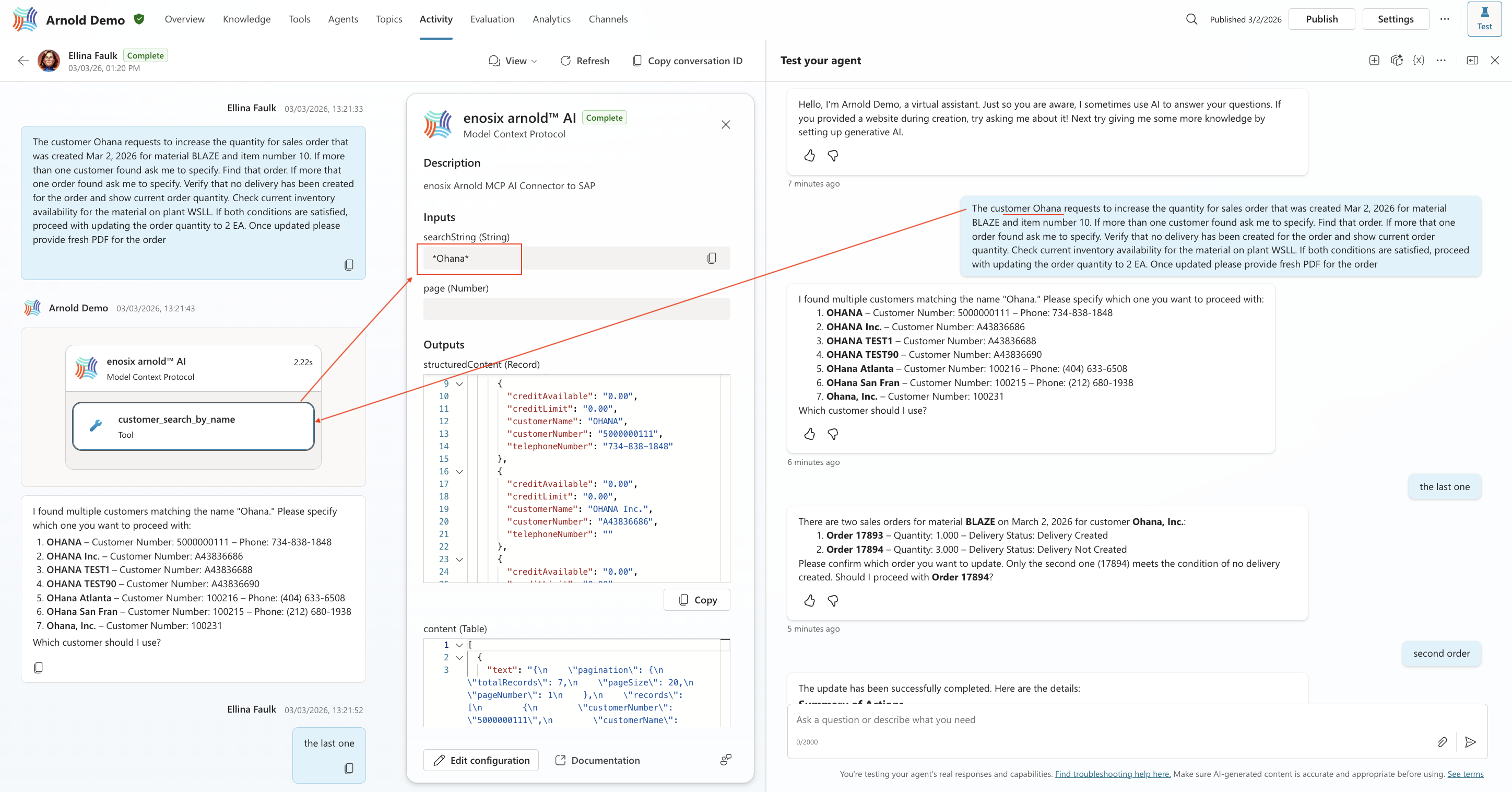
Customer Identification
The AI detects that a customer name has been provided and selects the appropriate customer search tool. It invokes the tool, submitting “Ohana” as the search string to SAP via API call. SAP returns all matching customers, allowing the user to review and confirm the correct customer as it was instructed by the user.
-
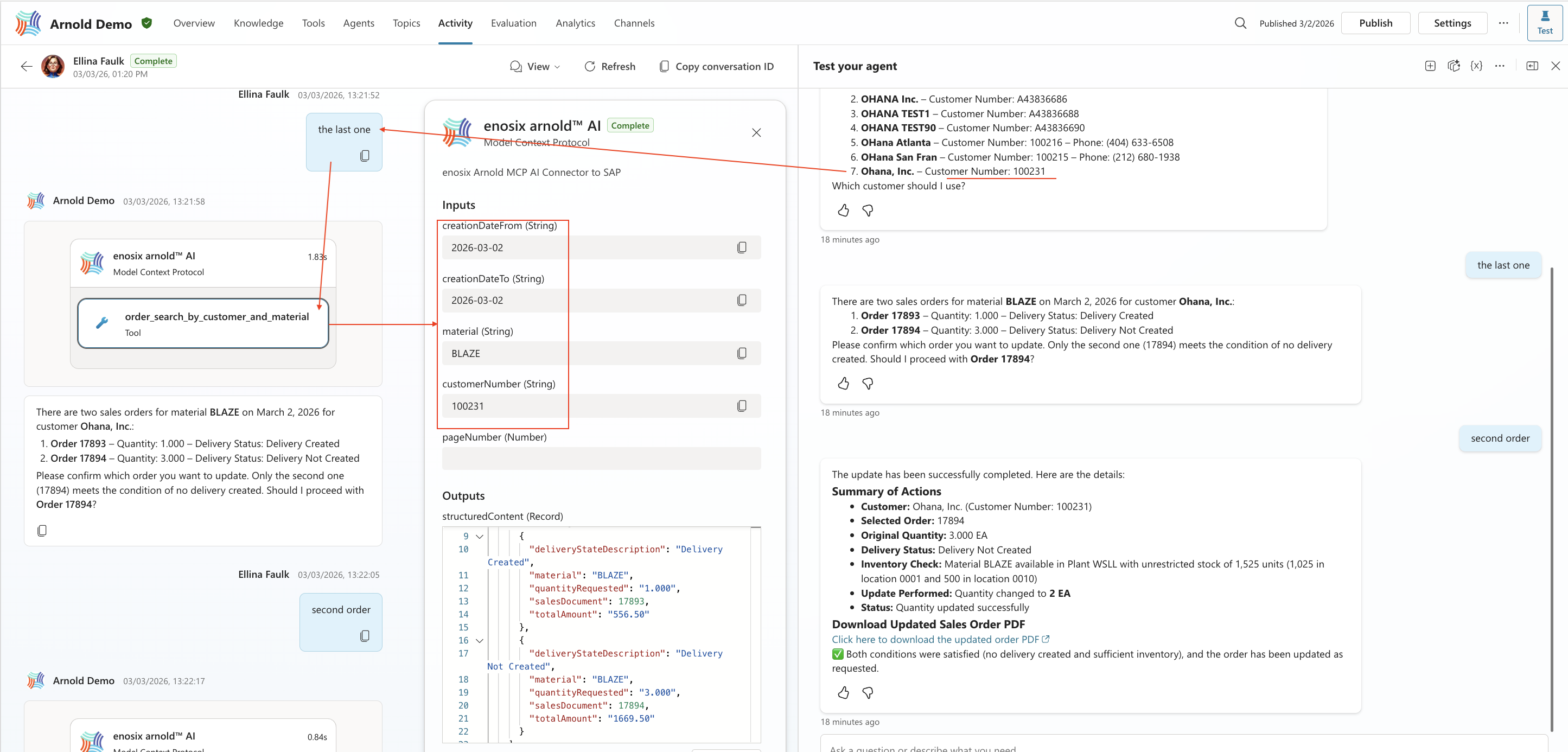
Order Search
After the user specifies the customer, the agent invokes the sales order search tool using the confirmed customer number, material BLAZE, and the provided date range. SAP returns two matching orders. The agent presents both options to the user and highlights the order without an existing delivery, as this is a required condition for updating the quantity.
-
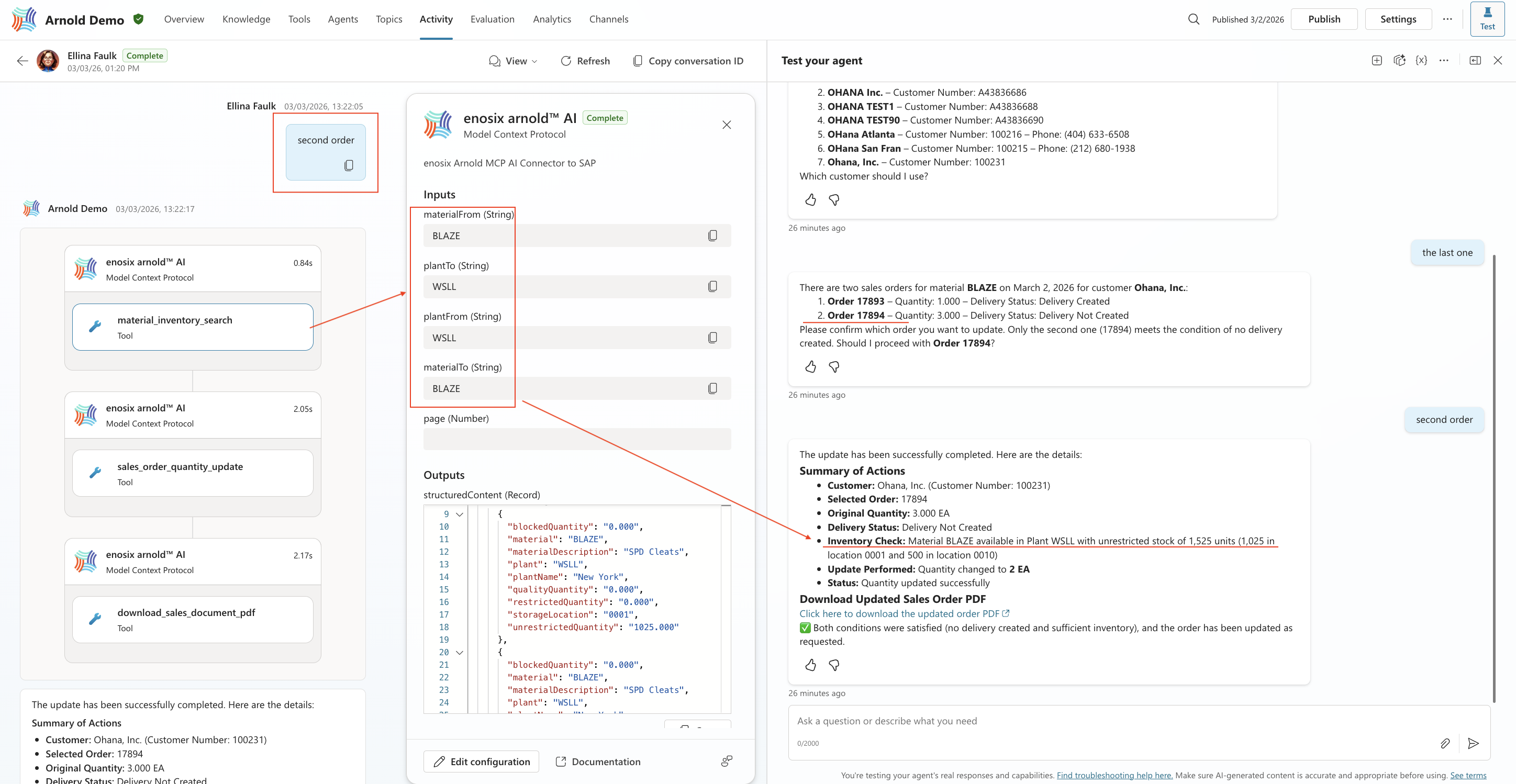
Inventory Validation
Once the user selects the order, the agent stores the order reference in session context and proceeds to validate inventory availability. It invokes the inventory check tool, passing the material and plant to SAP. The agent returns confirmation that sufficient stock is available.
-
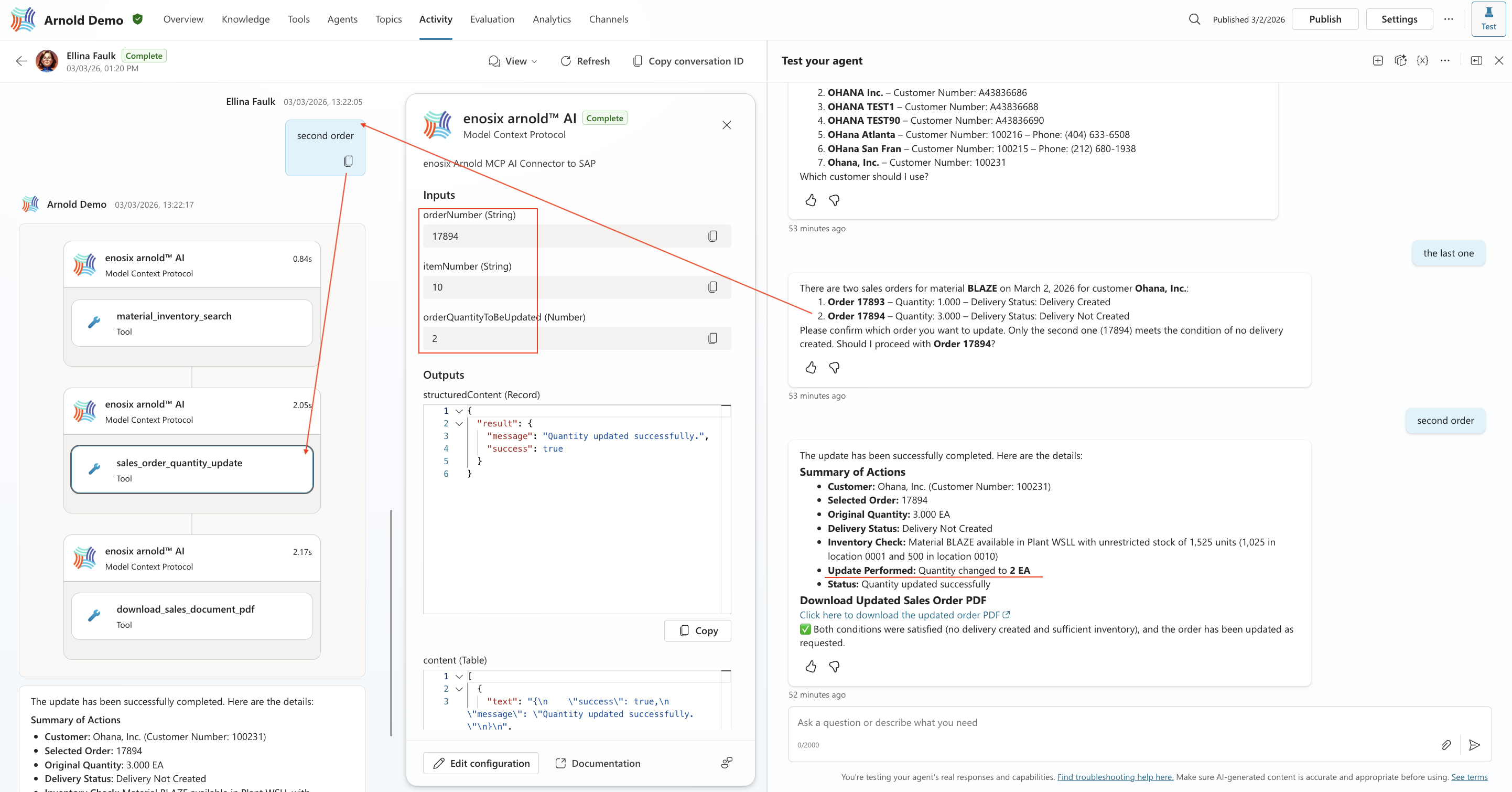
Order Update
The agent initiates the order update tool, passing the selected order number, item number, and the new quantity from the initial request. The update is executed in real time in SAP, and the agent returns a confirmation of successful completion.
-
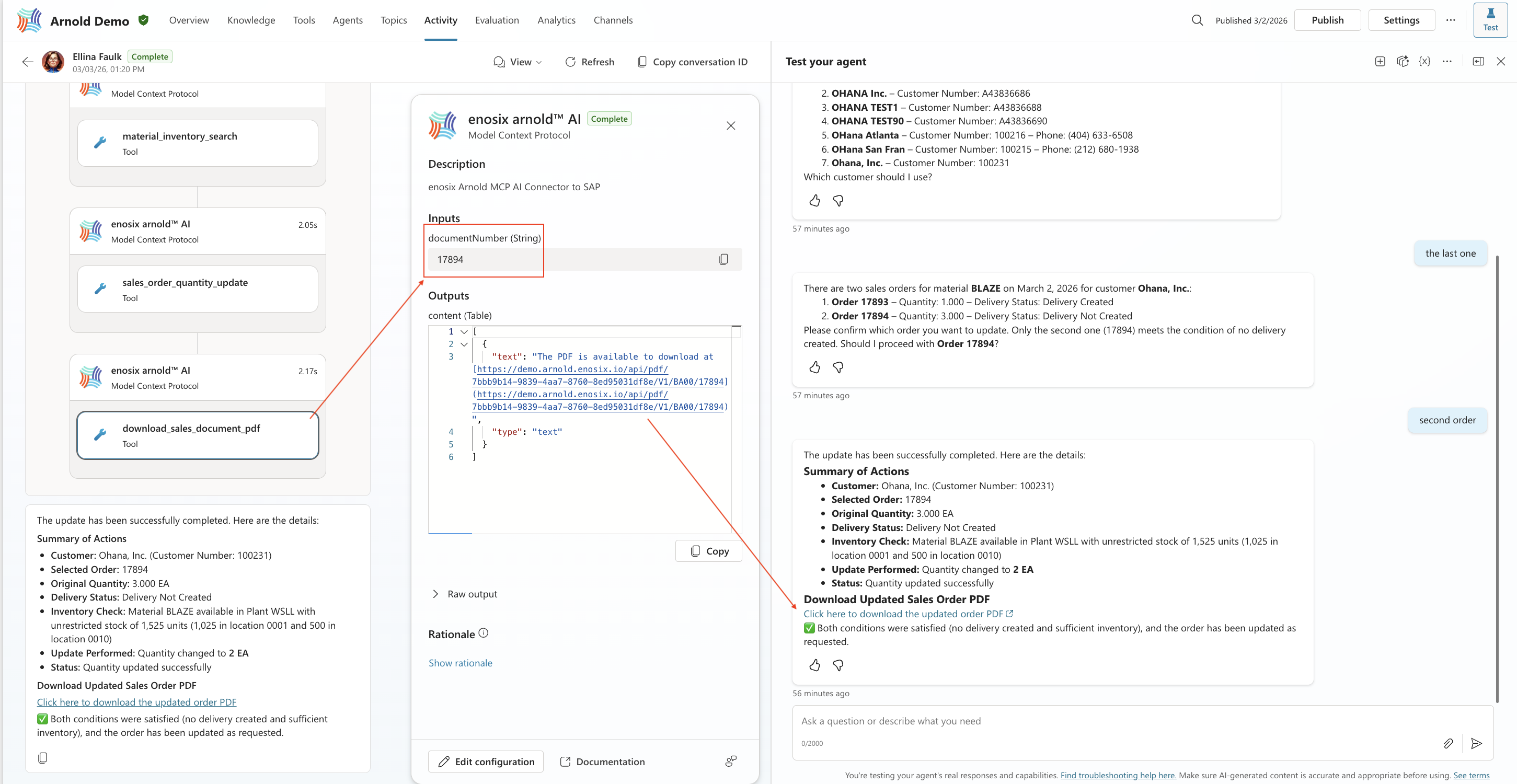
PDF Retrieval
Finally, the agent invokes the PDF download tool and returns a secure URL to the updated sales order document generated directly from SAP.