5 posts tagged with "arnold"

View All Tags

🚀 arnold™ 0.7.3

enosix arnold™ Plugin for Microsoft 365 Copilot Cowork

What it is

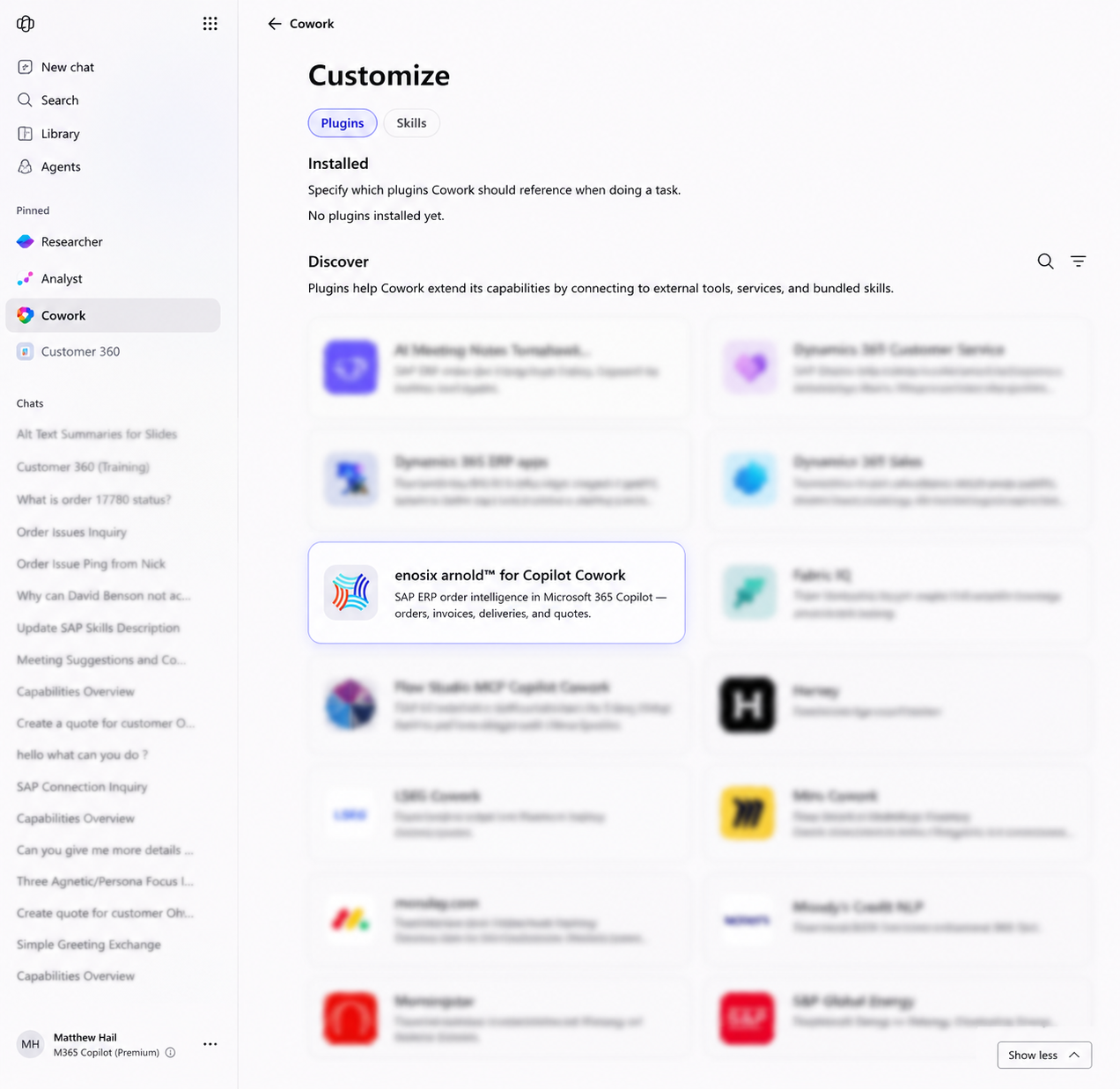
The enosix arnold™ plugin is now available for Microsoft 365 Copilot Cowork, enabling users to securely access live SAP ERP data and execute SAP business workflows directly from the Microsoft 365 Copilot experience. Users can install the plugin from Microsoft AppSource, authenticate with their arnold environment, and interact with SAP using natural language—all without leaving Microsoft 365.

What you can do

Using the enosix arnold plugin together with Microsoft 365 Copilot Cowork, users can:

  • Retrieve real-time SAP business data using natural language
  • Search sales orders, deliveries, invoices, quotes, customers, inventory, and other SAP business objects
  • Update supported SAP business transactions through governed approval workflows
  • Automatically draft customer emails from Cowork using live SAP information
  • Generate Excel worksheets populated with SAP data for analysis and reporting
  • Create Word documents, summaries, or customer reports using real-time SAP data
  • Prepare PowerPoint presentations using the latest SAP business data
  • Share updates directly in Microsoft Teams without manually copying information between systems

Why it matters

Microsoft 365 Copilot Cowork works across Outlook, Teams, Word, Excel, PowerPoint, SharePoint, OneDrive, Calendar, and other Microsoft 365 services, allowing users to combine enterprise SAP data from arnold with the Microsoft applications they use every day. Instead of switching between SAP and Microsoft 365, users can complete end-to-end business tasks from a single AI-powered workspace—for example, retrieving a sales order from SAP, creating an Excel report, drafting a customer email with the latest order status, and sharing updates with the sales team in Teams. All actions remain governed by Microsoft 365 approval, security, and compliance controls.

Watch the demo: Arnold + Microsoft Copilot Cowork Demo

Microsoft 365 Copilot Cowork

🔗 Improved Client App & Connection Management

What it is

Client Apps can now only be associated with active connections. Disabled or inactive connections are automatically excluded during Client App configuration, preventing unsupported or invalid assignments.

Why it matters

  • Eliminates configuration errors before deployment
  • Simplifies Client App administration
  • Prevents integrations from referencing unavailable connections
  • Reduces support and troubleshooting effort

👤 Smarter Authentication & User Validation

What it is

Authentication has been refined to better distinguish between active users, inactive users, and unknown users. arnold now applies the appropriate authentication flow for each scenario, providing clearer portal behavior while eliminating incorrect warnings generated during sign-in.

Why it matters

  • More accurate user validation
  • Improved security and audit accuracy
  • Cleaner system logs
  • Better administrator visibility into actual authentication issues

🚀 arnold™ 0.7.2

arnold™ 0.7.2 focuses on improving security, operational reliability, and enterprise readiness. This release strengthens authentication and authorization workflows, improves distributed infrastructure support, and delivers more resilient deployment and maintenance operations.


🔒 Stronger Security & Access Controls

What it is

Security has been enhanced across credential management and authentication workflows. Access to the My Credentials page is now restricted to authorized users, credential actions are automatically disabled when a connection is inactive, and Dynamic Client Registration (DCR) consistently requests User Consent during onboarding.

Why it matters

  • Prevents unauthorized credential access
  • Eliminates invalid credential operations on inactive connections
  • Ensures consistent consent and authorization during client registration
  • Improves compliance with enterprise security requirements

🚀 Enhanced Scalability with Distributed Caching

What it is

arnold now supports multiple arnold application instances.

Why it matters

  • Improved scalability for multi-node deployments
  • More consistent user sessions and application behavior
  • Better performance under higher workloads
  • Increased resilience in cloud-hosted environments

🚀 arnold™ 0.7.1

🔗 Simplified Connection Management

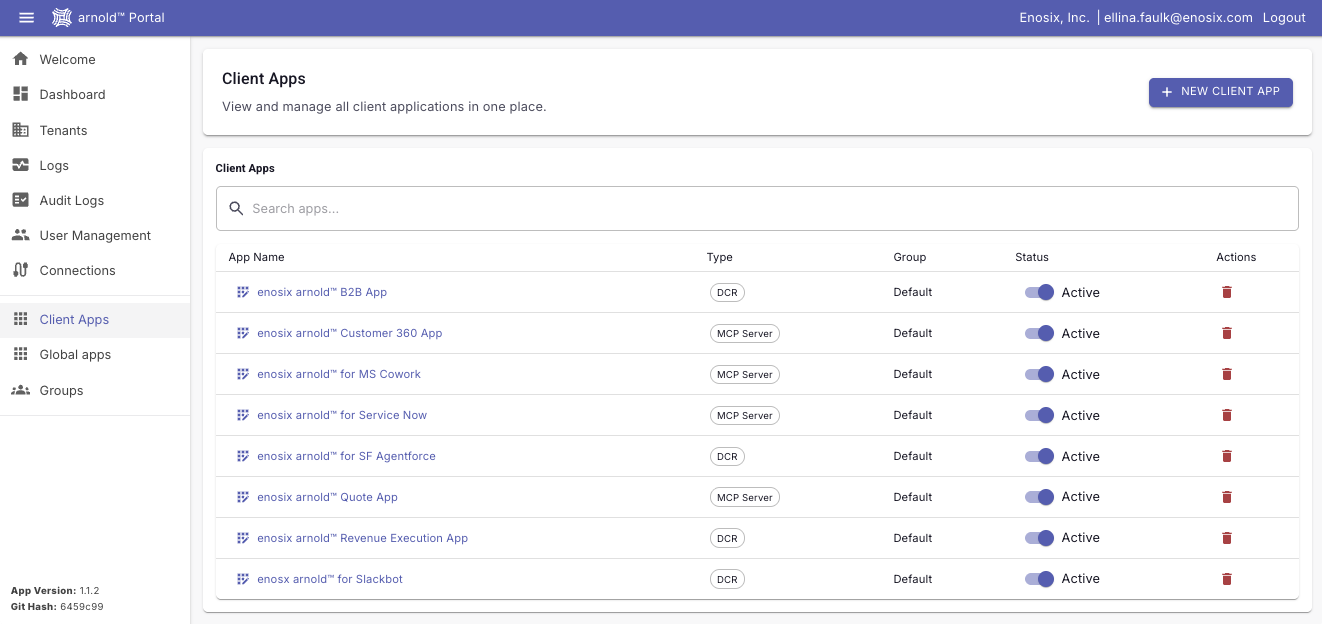
A new dedicated Connections tab has been added to Arnold Portal, providing a centralized location for managing SAP and application integration connections — including OAuth configuration, callbacks, and connection validation.

Why it matters

  • Simplifies administration and onboarding with a single place to manage all connections
  • Reduces time spent configuring and validating integrations
  • Improves visibility into connection health and OAuth settings
  • Helps organizations scale AI initiatives more efficiently

🧪 Enhanced MCP Tool Testing

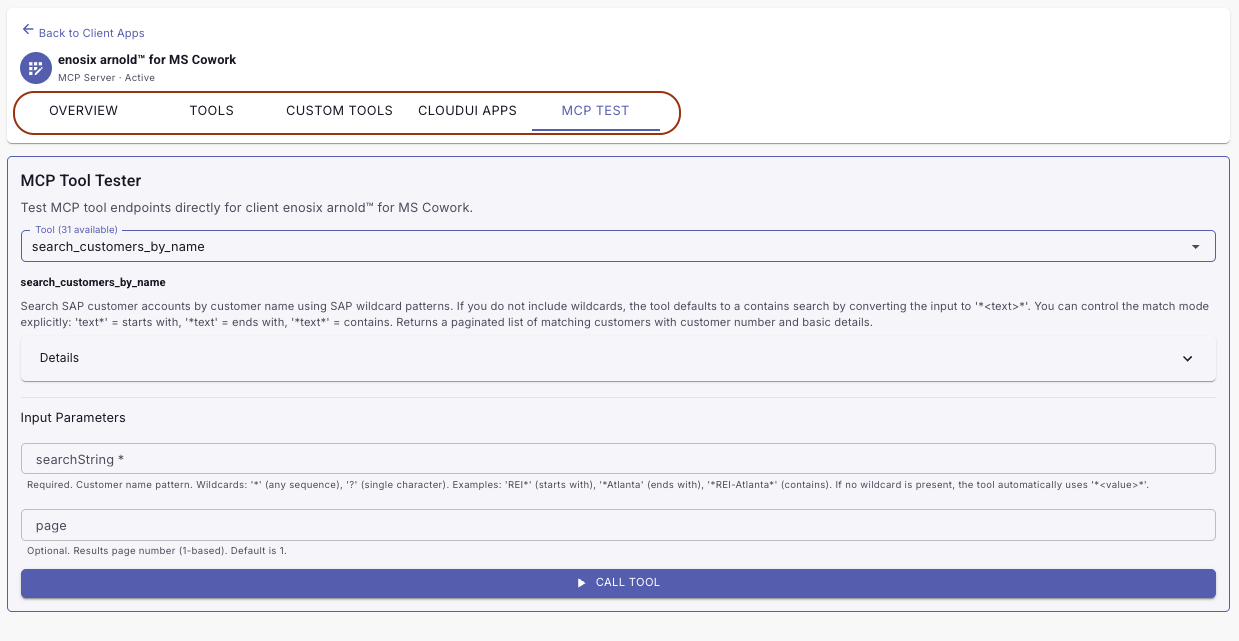
The MCP Tool Tester in Arnold Portal has been improved with a cleaner tool selection experience, making it faster to validate and troubleshoot AI integrations.

Why it matters

  • Tool selection now uses a dropdown instead of a full list, reducing clutter and improving usability
  • Accelerates testing and deployment of MCP tools
  • Improves visibility into tool behavior before production rollout
  • Helps teams deliver AI-powered experiences with greater confidence

🔐 Security Improvements

This release includes critical security enhancements to protect your data and integrations.

Why it matters

  • Inactive users are now properly denied access to Arnold Portal and all MCP endpoints
  • PDF download requests now require valid OAuth credentials — if credentials are missing, users receive a clear prompt to authorize in the portal rather than a silent failure
  • Your integrations are better protected against unauthorized access

📄 Document Download Reliability

PDF document downloads have been refactored to behave consistently and provide clear feedback when a document is unavailable.

Why it matters

  • PDFs are now always fetched before determining how to deliver them (inline or via URL), ensuring consistent behavior regardless of the configured download mode
  • A clear error is returned when a document cannot be found, eliminating silent failures that could mask configuration issues
  • Improves troubleshooting and reduces support burden

🛠️ Admin & Integration Enhancements

The portal includes several improvements for administrators and integrators.

Why it matters

  • An OAuth authorization server metadata link now appears next to Client Credentials, giving administrators quick access to endpoint details needed for manual client registration and configuration
  • All MCP tools are now explicitly marked as read-only or write operations, helping AI agents and integration clients distinguish safe queries from operations that modify data
  • System information can now be retrieved using user-level credentials alongside tenant credentials, improving flexibility in mixed-credential environments
  • The Test Connection button is now only enabled when the appropriate credentials are configured, reducing confusion during setup
  • Inactive clients are no longer shown on the Dashboard, keeping the admin view accurate and uncluttered
  • Client creation validation now correctly checks the user's original input before trimming, ensuring names are validated as entered

🚀 arnold™ 0.7.0 Has Arrived

This release is all about giving organizations more control, faster adoption, and greater flexibility when connecting AI to SAP.

Whether you're launching your first AI agent or scaling enterprise-wide, arnold™ 0.7.0 helps you move faster while keeping your business data secure and governed.

🇪🇺 Now Available in Europe

Deploy Where Your Business Operates

arnold™ is now available in a dedicated European region, giving organizations more choice in how and where they deploy enterprise AI.

Why customers love it:

  • Support regional data residency requirements
  • Align with corporate governance policies
  • Bring AI closer to your users and business operations

Result: More deployment options. More flexibility. More confidence.

🛠️ Build Your Own MCP Tools

Turn Your Business Expertise Into AI Skills

Every company works differently. Now your AI can too. Custom MCP Tools allow organizations to create their own SAP-powered capabilities directly within the arnold™ Portal—without waiting for product releases or custom development projects.

Why customers love it:

  • Tailor AI to your unique business processes
  • Expose only the SAP data you choose
  • Control exactly what users see and what AI can access

Result: Your business. Your rules. Your AI.

⚡ Dynamic Client Registration (DCR)

From Setup to Productivity in Minutes

Connecting AI agents to arnold™ just got dramatically easier. Dynamic Client Registration enables supported AI platforms to automatically discover and register with arnold™, eliminating manual configuration steps.

Why customers love it:

  • Faster onboarding
  • Less administration
  • Reduced setup complexity

Result: Spend less time configuring and more time delivering value.

🧪 MCP Tool Tester

Test Before Your AI Does

Introducing the MCP Tool Tester—a dedicated testing experience built directly into the arnold™ Portal. Validate tool inputs, SAP connectivity, and responses before exposing them to AI agents.

Why customers love it:

  • Catch issues before users do
  • Accelerate troubleshooting
  • Validate custom tools with confidence

Result: Faster deployments and fewer surprises.

Ready for Enterprise AI at Scale

arnold™ 0.7.0 makes it easier than ever to connect AI agents to real-time SAP processes while maintaining the governance, flexibility, and control enterprises expect.

Build faster. Deploy smarter. Govern confidently.

🚀 Introducing arnold™ — Now Available for a Pilot

We’re excited to announce the first public release of arnold™, a powerful new way to access and interact with SAP using AI.

You can now pilot arnold™ through a limited trial in your own environment and experience a completely new way of working with SAP data using AI.

👉 Ready to get started? Reach out to enosix to enable your pilot and see arnold™ in action: https://go.enosix.com/support

🤖 What is arnold™?

arnold™ is an MCP Server (Model Context Protocol) that connects AI agents to SAP, allowing users to interact with SAP data using simple, natural language. Instead of navigating complex SAP screens or using transaction codes, users can simply ask questions—and take action—directly from chat.

With arnold™, you can:

  • 🔍 Retrieve real-time SAP data
  • ✏️ Update existing records
  • ➕ Create new transactions

No SAP GUI. No transaction codes. No delays.

🧠 How It Works (Simple View)

  • Users interact with Agent through AI platforms like Microsoft 365 (Copilot)
  • AI agents translate the request to tools
  • arnold™ provides the right tools to interact with SAP
  • enosix SAP Platform responds in real time
  • Agent presents data to users in easily readable format

☁️ Built for Enterprise — Secure by Design

arnold™ is:

  • Hosted in Microsoft Azure
  • Secured through Microsoft Entra Directory / M365
  • Supports Single Sign-On (SSO) and SAP Principal Propagation

Your SAP data remains secure while becoming more accessible than ever.