
Releases for September 2026

New Features & Improvements​

  • Create sales documents from an existing document When launching Sales Document UI in Create mode, you can provide a reference document to pre-populate a new Order or Quote with its header, partners, conditions, texts, and items. Saving creates a new SAP document; it does not change the source document. Create mode without a reference document is unchanged.

  • Control header values when updating a sales document The mapUpdateFromSObject setting can now apply host-provided values to changeable header fields when an existing SAP sales document is opened in Update mode. SAP values are retained for Sold-to Party, Document Type, and Sales Area fields. When the setting is off, SAP header values remain unchanged. This setting does not overlay item fields.

Bug Fixes​

  • Customer address now populates partner address overrides Fixed an issue where autoPopulateAddressOverrideFromCustomer could leave address override fields empty. When enabled, it now fills an initially empty partner address override with the current sales document customer's address.

Security Improvements​

  • Dependency security improvements This release includes various security improvements to Cloud UI and supporting components through dependency updates and improved monitoring for future updates.
🚀 arnold™ 1.2.0​

  • NA Release Date: 2026-09-28
  • EU Release Date: 2026-10-01

arnold™ 1.2.0 improves group-based access controls, Cloud UI app management, custom tool configuration, and audit tracking. It also provides better visibility into which MCP clients are using the newer MCP version.

👥 Stronger Group-Based Access Controls​

What it is​

Group management now provides more precise access controls for connections and MCP requests. Connection visibility is filtered according to user role, group ownership, and client access. MCP requests are checked against tenant and client group membership when group management is enabled.

Why it matters​

  • Helps ensure users see only the connections available to them
  • Enforces group membership checks for MCP access
  • Gives administrators and regular users access appropriate to their roles

☁️ Cloud UI App Import & Export​

What it is​

Cloud UI app configurations can be imported and exported, with validation and audit tracking for import operations.

Why it matters​

  • Makes it easier to reuse and transfer app configurations
  • Helps catch issues during configuration import
  • Improves traceability of configuration changes

🧰 More Reliable Custom Tool Configuration​

What it is​

Custom tool templates are checked for syntax issues before they are saved. Configuration references in templates and scripts now report errors when values are missing or unassigned.

Why it matters​

  • Helps identify template problems before a tool is used
  • Makes missing configuration easier to diagnose
  • Reduces unexpected behavior caused by incomplete settings

🔎 Improved Audit Tracking​

What it is​

Audit tracking has been expanded for language model and feature changes, with improvements to change details and user identification.

Why it matters​

  • Provides clearer records of important configuration changes
  • Makes it easier to understand who made a change and what was affected
  • Supports troubleshooting and operational oversight

🐞 Bug Fixes & Stability​

What it is​

This release fixes an issue that could create duplicate tenants when concurrent consent callbacks were processed. It also improves configuration handling and audit-log behavior, as well as better analytics for tracking client MCP versions.

Why it matters​

  • Prevents duplicate tenant records caused by concurrent requests
  • Keeps audit information within the correct tenant context
  • Makes configuration errors clearer and easier to resolve

Security Improvements​

  • Security vulnerability remediation and CI guardrails Resolved existing security vulnerabilities in the Cloud UI codebase and added CI pipeline enforcement so newly detected security issues block progress. This helps prevent insecure dependency or code changes from being promoted.

Bug Fixes​

  • Sales-area dependent fields now reset correctly on Sales Organization change Fixed an issue where SalesOffice, SalesOfficeName, SalesGroup, and SalesGroupName could retain old values after changing Sales Organization. These fields now clear and repopulate correctly based on the newly selected sales area.

  • Context text field values now appear when editing items Fixed an issue where item text field values provided through Context were not displayed in the item edit experience. Values are now shown correctly when the item is opened for editing.

Get it here: v9.6.54

[Bug Fix]: MultiAuthenticationEnabled Flag removed

  • This release removes the MultiAuthenticationEnabled flag from the api proxy configuration. This flag was previously used to enable or disable the multi-authentication feature, but it is no longer necessary and has been removed. Swagger UI follows API Proxy configuration, and this flag is not required anymore.

For more information, here is the updated documentation Swagger UI

🚀 arnold™ 1.1.2​

  • NA Release Date: 2026-09-14
  • EU Release Date: 2026-09-18

arnold™ 1.1.2 improves Client App management, MCP client compatibility, tool customization, logging, and OAuth troubleshooting.

📱 Improved Client App Management​

What it is​

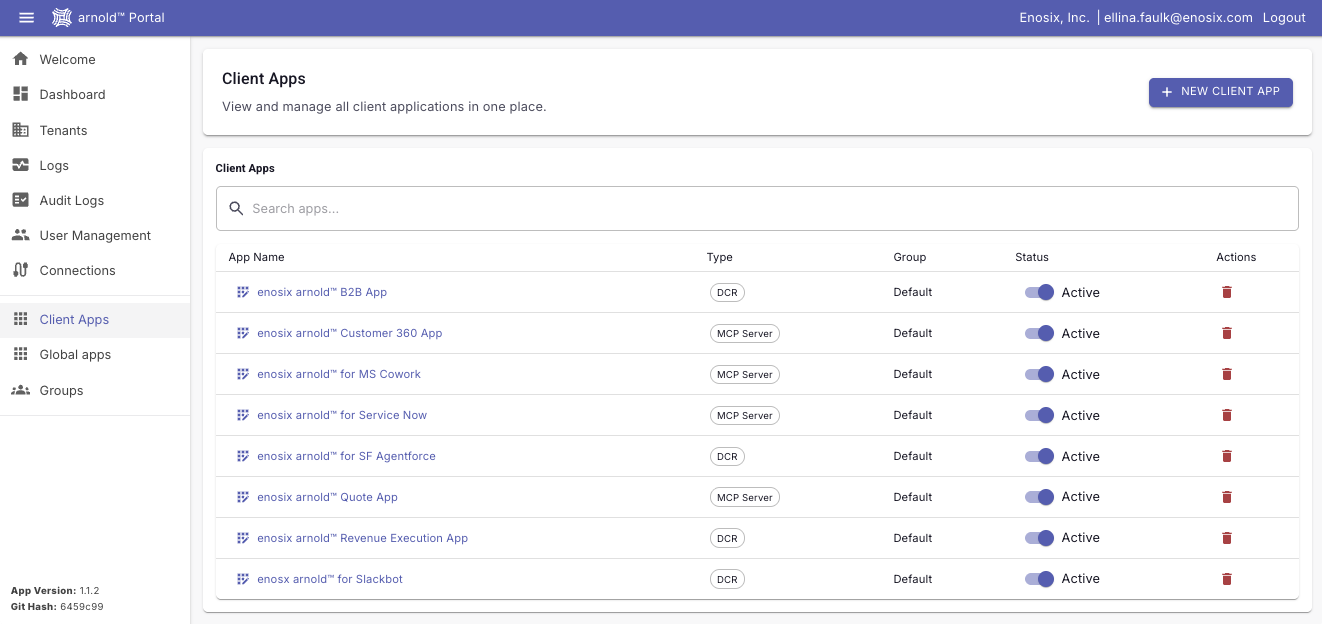
The Client Apps experience has been redesigned with a unified management page, searchable client list, and improved navigation.

Why it matters​

  • Easier Client App administration
  • Faster search and navigation
  • More streamlined configuration workflows

enosix Portal Client Tab

enosix Portal Client Tab

🔌 Smarter MCP Client Compatibility​

What it is​

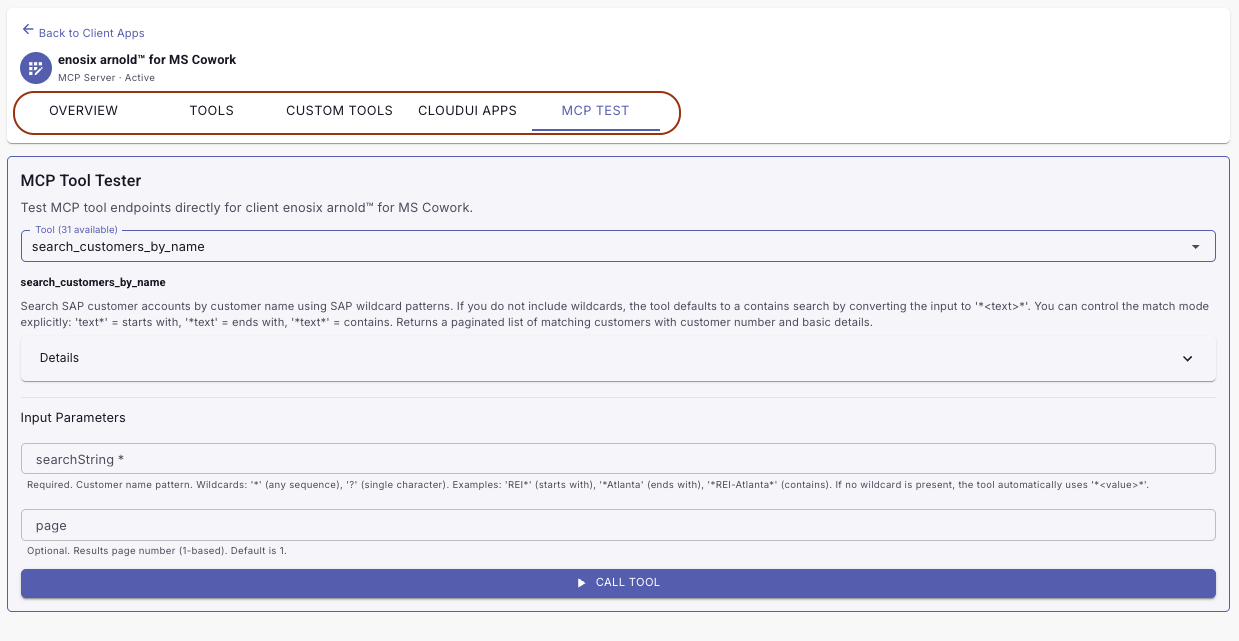
arnold now recognizes MCP client capabilities and adjusts available tools and response formats accordingly. UI-specific tools are only exposed to clients that support MCP Apps, while structured output can be controlled per Client App. Client capability information is also retained throughout the MCP session, including resumed sessions.

Why it matters​

  • Better compatibility across different AI clients
  • Prevents unsupported UI tools from being exposed
  • More reliable structured data handling
  • More consistent behavior throughout MCP sessions

🛠️ Improved Custom Tool Management​

What it is​

Customizing a previously deactivated tool now reactivates the existing tool instead of creating a duplicate. MCP App tool names have also been standardized using snake_case.

Why it matters​

  • Cleaner tool configuration
  • Fewer duplicate tools
  • More consistent MCP tool definitions

🔍 Improved Logging & Audit Tracking​

What it is​

Logging has been enhanced with more consistent user identification and Client App retrieval. Connection IDs are now included in connection test logs for API Key and Basic Authentication.

Why it matters​

  • More reliable user activity tracking
  • Better audit records
  • Easier connection troubleshooting

New Features & Improvements​

  • Sales Document UI is now generally available The Sales Document UI (SalesDoc UI) is now publicly available for creating Orders and Quotes in SAP. Enter header, partner, condition, and item data in your host application, simulate pricing and availability, and create the document directly in SAP — all without leaving your host application. This release supports one-way document creation only; support for updating or referencing existing SAP documents is planned for a future release. See the Sales Document UI documentation for details.

Bug Fixes​

  • VC pricing simulate now reads the correct currency field Fixed an issue where, when the PricingSimulateApi app setting is set to route through the Sales Document simulate API, Variant Configuration UI looked for the pricing currency in the wrong location and could fail to display pricing for configured materials.

Get it here: v9.6.50